The Basic Equipment for Podcasting

I recently led a workshop about podcasting at the local library. I thought it might be useful to go over the basics of the tech needed to record and edit a podcast. As far as coming up with the ideas and recording schedule and artwork and marketing – you’re on your own.

The Equipment

Depending on how deep you want to go into this hobby will determine how much you want to spend on the equipment to make this happen.

Basic

The simplest thing is to use your phone or computer to record. This will be the most unpolished version as the sound quality from your laptop’s built in microphone or your phone won’t be as good as a “real” microphone.

At this stage you can decide if you want to heavily edit or upload as is. Some editing is probably going to be necessary just so your sound and content is clean and organized. Nobody wants to hear you setting up your microphone or arguing with the cat who hopped on your lap. Or maybe they do. Who knows what makes good content these days?

Simple

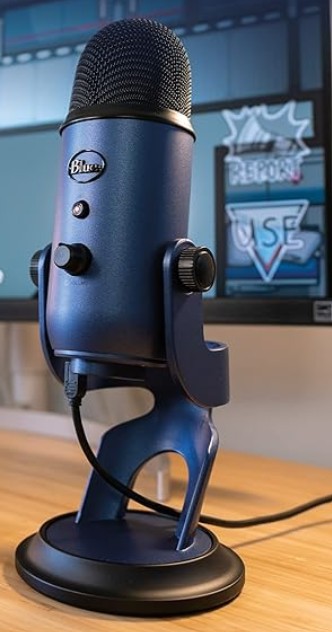
At this stage, you’re looking into getting a separate mic from your computer. This will be the consumer friendly USB style mic. Some examples below.

USB mics are fine, but the sound quality is not as good as a better (read: more expensive) mic. I liken it to a “hollow” sound.

The USB makes up for its basic sound quality with its ease of use. You simply plug it into the computer, maybe download whatever driver the computer requires to use it, and off you go.

Moderate

The XLR mic is the more professional microphone. I’ll leave it to the sound professionals to explain the numbers associated with a mic’s quality. I found this article that helps explain microphone quality.

The back of this mic is where the XLR cable plugs in.

Basically, your better microphones will be able to record clear sound with minimal background noise.

The downside is that in order to use the XLR mic with a laptop, you’re going to need a device that connects the two. You’ll notice there is no XLR input on a computer.

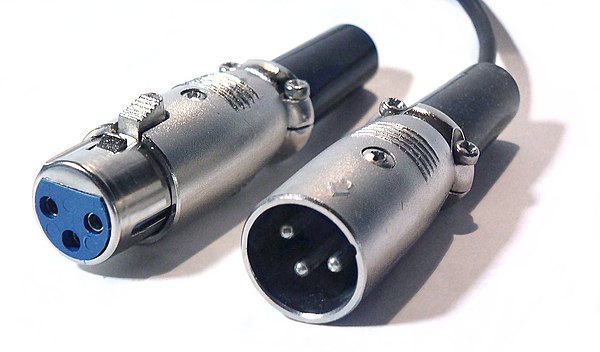
This is what an XLR cable looks like.

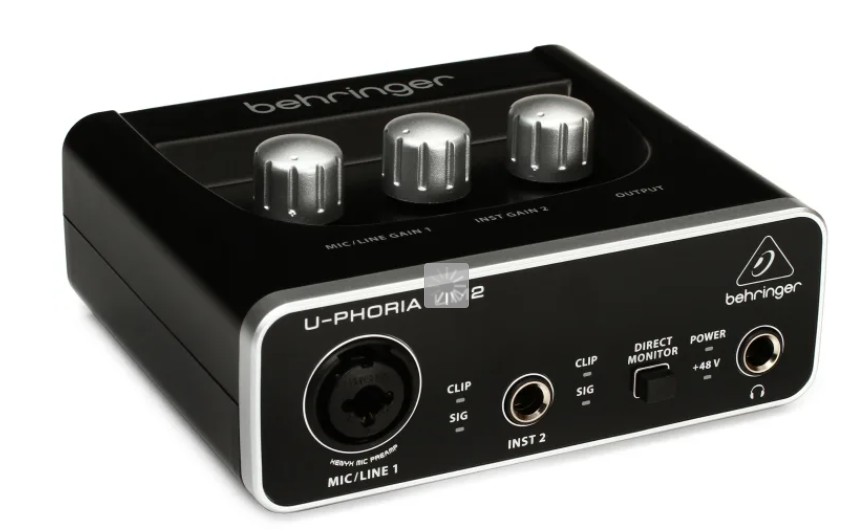
An example of an audio interface. Note the two plug in ports for XLR cables, the separate knobs to control levels, etc.

To use the XLR mic with a laptop, you need an interface. This device provides a place for me to plug in an XLR mic, adjust the levels, and then it goes to a USB that plugs into the computer.

The interface I’ve been using is more suited for the music world and I’ve run into issues trying to accurately keep track of levels, so I’m on my way to the next step (The interface I was using was the Behringer UM2. Cheap at $40 but too simple for my needs now).

Advanced

Separate Audio!

The first versions I talked about involved recording directly to your computer. One of the issues I’ve noted while using my interface has been that I cannot accurately monitor audio in the computer while recording. There’s a second or so of delay. This makes it difficult for me to monitor the audio as I’m recording because I’m hearing my own voice echo back at me. It’s very disorienting.

So I’m going to the next method, the method I should have thought of first, which is recording to a separate audio recorder. In film production, we typically record separate sound. That’s why we use the slate (often mistakenly called a “clapper board”) in order to sync up the video and audio. You use the image of the slate clap with the audio in order to match up the audio and video. Of course there’s some tools out there to help you automate this process, but I’m more of a camera person than an editor. And an amateur podcaster.

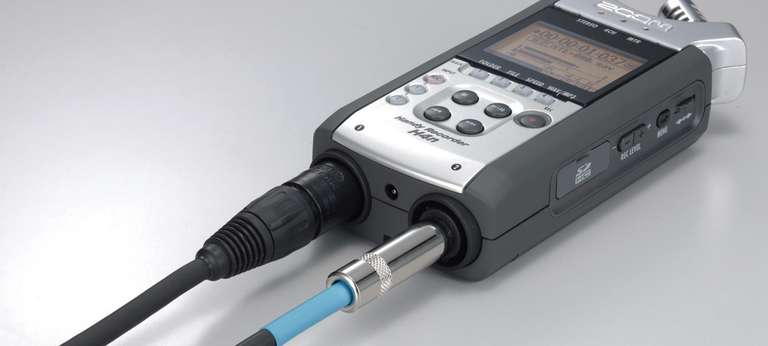
So, to record separate audio at this stage with better mics, you need a decent audio recorder. The H4n Zoom is a solid choice. It has 2 XLR inputs, so you could plug in two mics at once, plus a headphone jack to listen in and all the control over the levels. With this piece of equipment you record to an SD card.

Recording Program

If you’re recording to the computer, use whatever you have to start. There’s likely a built-in audio recorder on your computer.

I use Audacity, which is a free program. The free version doesn’t have a lot of options these days, so I only use it to record now, no editing.

There are some podcast hosting sites like Podbean, Descript and even Spotify (with Riverside) that will enable you to record and upload in the same place.

Editing Program

Use whatever you want to edit! As long as you can cut your audio files up, you’re editing.

I use the Adobe Creative Suite programs, so I’m editing my podcast in the same program I edit video in: Adobe Premiere. It’s not the typical use of that program, but I know all the hot keys, I can adjust levels and apply filters and effects, and I can export as an audio-only file. If there’s an editing program you already use that you are comfortable with, start there.

Podcast Hosting

You’ll want to upload your podcast to a host website.

There’s quite a few hosts to choose from, but some options include:

  • Buzzsprout
  • Podbean
  • Resonate
  • SoundCloud
  • Audioboom
  • Spotify for Creators

There’s many to choose from! Just check out this list of popular podcast hosting sites.

I’ve been using Spotify, but looking into some other options in order to extend my reach. At this time, Spotify cross posts to Spotify, Amazon and Apple.

Lights, Camera Remake! A Podcast about Hollywood Unoriginality

Yet another person with a podcast. Oh my goodness. But let me explain.

One of the age-old complaints about movies and Hollywood in general is that there’s no originality left. We see endless remakes, reboots (slightly different), sequels, spinoffs and adaptations. Can’t they come up with anything new?

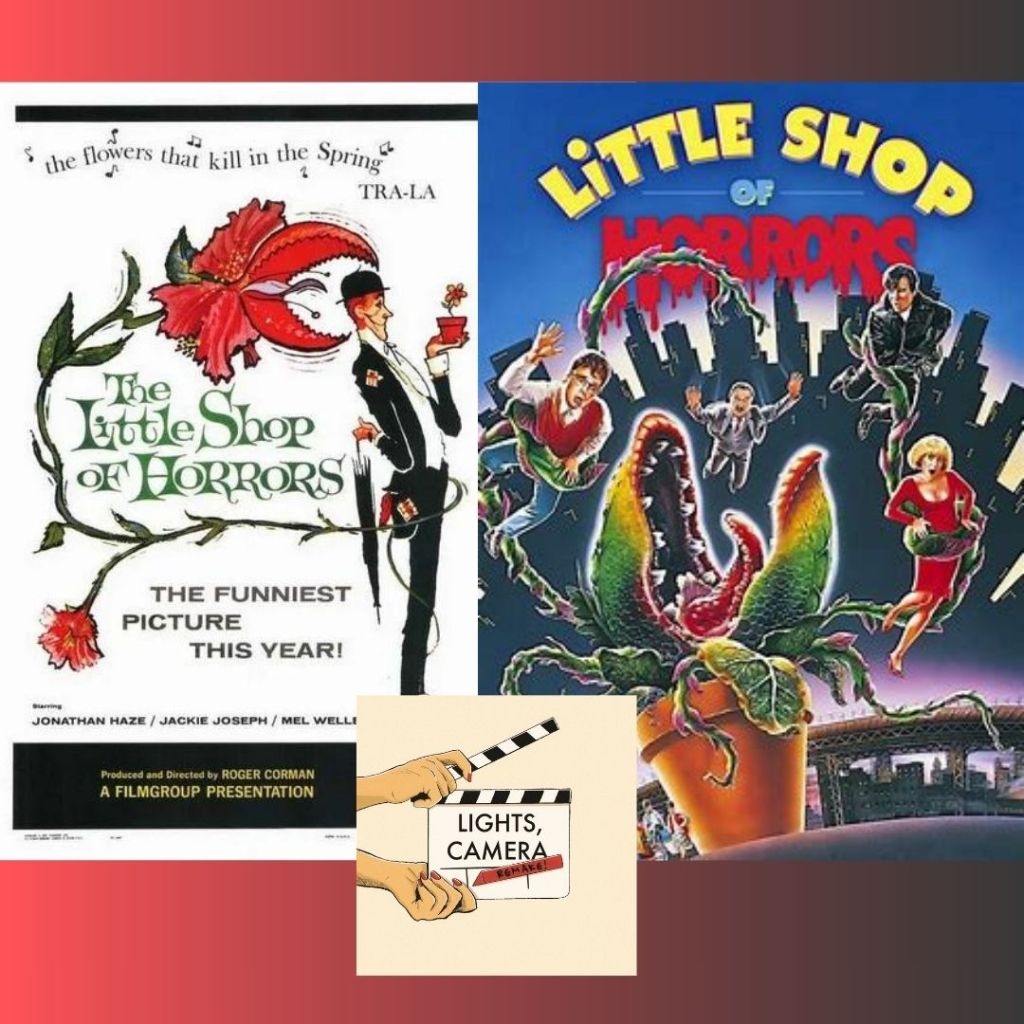
As I began to dig into this idea, I found some surprising things. Like the fact that Little Shop of Horrors -the musical comedy horror starring Rick Moranis and Ellen Greene? – was actually a remake of a low budget movie from 1960. Did you know that Martin Scorsese’s The Departed is based on a 2002 Hong Kong film Internal Affairs? 1998’s You’ve Got Mail is a remake of The Shop Around the Corner (1940). Ocean’s Eleven (2001) is a remake of Ocean’s Eleven (1960).

A remake of an old movie can bring a classic story to a new audience… and also sometimes make audiences really angry.

That passionate knee-jerk reaction is worth discussing.

I’d love to see more originality in the movie theater. The problem is — those movies have a harder time finding an audience.

Hollywood studios and executives are running a business, and they want to make money. And working with something that has established IP (like a Marvel movie, or a book adaptation, a remake) somewhat guarantees an audience will attend. At the end of the day, they just want to make money and make their shareholders happy. And they want to keep their jobs.

Anyway, my friend Erica Strout and I got talking, usually at work in between setups or at lunch. We met on a reality show TV show with myself working as the camera operator and Erica as my camera assistant. We became fast friends. And then we watched movies together. And had a lot of discussions about film in general.

Now we’re doing the Lights, Camera, Remake! Podcast.

This amazing artwork created by Taylor Rebyanski!

Is it always a bad thing to see a remake of a classic (or possibly unknown) movie? Our podcast looks to break it down and see if there’s merit to Hollywood shirking an original idea for a retelling.

On each episode we’ll look at a movie and its remake, or sometimes a movie and its sequel, to determine if Hollywood rehashed it for a reason or for a cash grab.

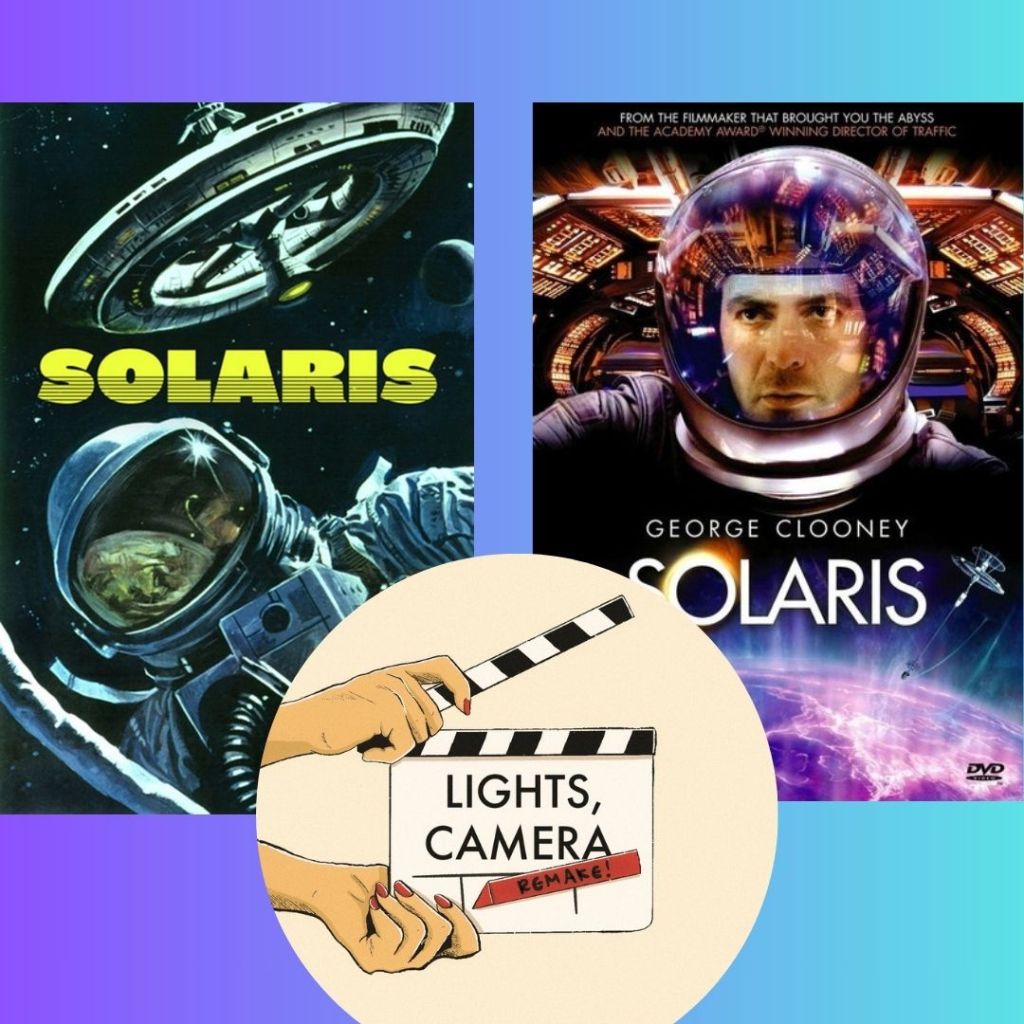
Episode 1 is about Solaris (1972) and Solaris (2002).

Solaris is an atmospheric Russian science fiction film based on a book. It was later remade in 2002 starring George Clooney.

You can listen to the episode on Spotify or right here:

Episode 2 is Little Shop of Horrors (1960) and (1986).

Next up this week is Weekend at Bernie’s! The episode will be uploaded on Wednesday, Jan 22.

Follow us on Spotify, Instagram and Facebook!

https://www.instagram.com/lightscameraremakepodcast/

https://www.facebook.com/profile.php?id=61560111332548

We’ve also got an email you can submit ideas, comments or random concerns too. We understand you have those.

LightsCameraRemakePodcast@gmail.com

http://www.screenrant.com/movies-secretly-remakes-surprising/

theenemyofaverage.com/movies-that-are-remakes/

How to Avoid Film Job Scams – Take Eight

Since I began this blog series on scams in the film industry, I started a folder on my desktop whenever I found a questionable job so I could put it in the next entry on the topic.

But… I couldn’t keep up. There’s too many. And the same names will pop up again and again, but new ones do too. There’s no way to truly catalogue them, so the best I can do is show you some examples from time to time, list the red flags, and hope to keep you from being taken advantage of in the future.

Google the E-mail

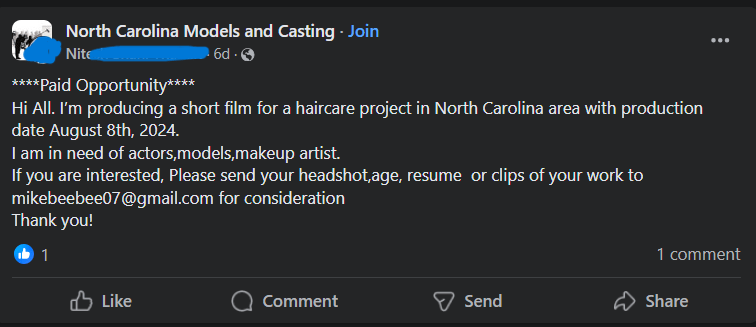
Scammers are a bit lazy too sometimes. You’ll see the same e-mail used by many different screennames. I’ve been chasing this mikebeebee email since at least July this year, having saved examples of this scam from different Facebook groups. I’m mentioning it now because it’s one of the recent ones to plague a group I manage.

This scam email was also used in July, when I saved these screenshots:

As you can see, it’s multiple names and “jobs” but the same scam email. I did blank out most of the names that posted because it’s likely they are hacked accounts and innocent of this posting. Or they could be completely fake profiles. Either way the most important thing is understanding the details of the scam.

Most recently, this one was posted:

Now, what happens if you apply to the fake job? You’ll likely get this email, with the name changed depending on the fake person you’re communicating with. Email screenshot attached with annotations explained below:

In Yellow: Generally bad grammar and grasp of the English language, so it’s likely an overseas scammer.

In Blue: If you are a professional, you do not need an explanation of how to do your job. This is a complete misunderstanding of how professionals are hired for a film set.

In Green: They use “kindly” which a lot of scammers use for some reason, and they’re also asking for all this identifying information. Probably for identity theft or to further sell your information to future scammers.

In Red: This part is where you know it’s a scam. The guy claims he will pay you $2000 before the job. Never, ever accept payment before a job is done. This is a check phishing scam. They are just trying to steal Your money, which they will do once you see the second part of the red section: “This covers your $1500 upfront payment and the talents'(sic) fee ($4,000) payable to their manager.

This is how the check phishing scam works. They issue you a fake check, and before your bank notices the check is fraudulent, you’ll be issuing a check from your own balance to pay the “talent” who is actually the scammer. You are out at least $4,000 at the end of this scam.

According to the FTC, “Fake checks can take weeks to be discovered and untangled. By that time, the scammer has any money you sent, and you’re stuck paying the money back to the bank.”

Production Assistant Scams

This latest one was brought to my attention by a community member on a page I moderate. I’d had my suspicions about the job when it was posted, but I didn’t have enough info to delete and ban the poster until I received further info.

Here’s why this job looks suspicious at first glance and why I didn’t delete it immediately.

  • Casting call – for a production assistant? You only do casting calls for actors. Crew calls for film crew. I chalked this up to someone green in the industry.
  • Grammar “Seeking for.”
  • 3 days, 4 hours of work for a lump sum payment of $700. Again, I thought this was an inexperienced person who doesn’t know how day rates work. But 4 hours a day is suspicious even for a short film.
  • The poster turned off comments. Scammers do this because they know people will start calling them out in the comments. But insecure people also do this.

I couldn’t annotate this one because as soon as I started, I realized I was underlining the entire thing in red. Let’s look at those emails!

Red Flags:

  • Giant block of text. Most gigs will email at best like two sentences to see if you’re available.
  • Atrocious grammar and spelling. They don’t even spell their email correctly.
  • Wishing you good health. This is America, we don’t have that.
  • Apologizing. For some reason a lot of scam communications start with apologizing for being so busy. Maybe the intent is to make them look like they are in high demand or something.
  • Audition – for a production assistant? Oh no honey. But this detail confirms my suspicion that this was also a copy & pasted scam for an actor as well. Remember how the job post was a “Casting Call”? I bet this same scam showed up elsewhere targeting actors or models.
  • I laughed at “Camera Man.” The term is camera operator. But they probably meant Director of Photography.

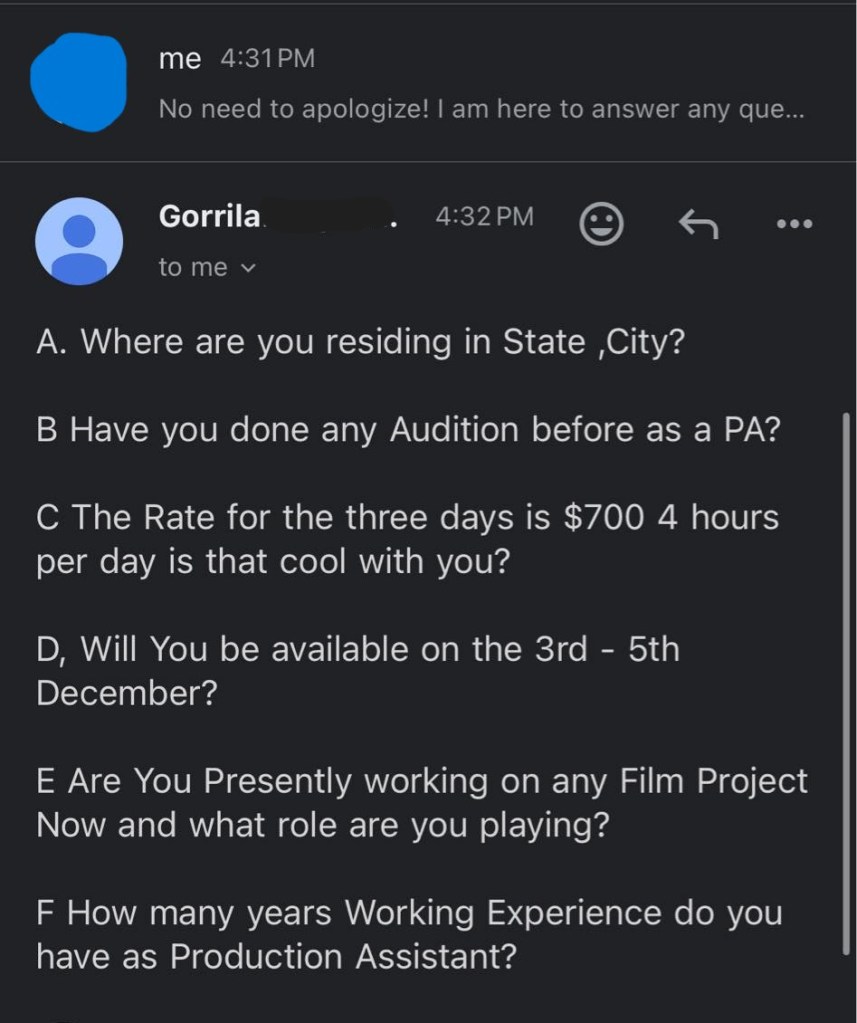
Let’s look at the next email!

Red flags:

  • Scammer asking where you live (including the state).
  • Audition and PA again.
  • “Is that rate cool with you?” No. Because it’s fake.
  • Are you available the dates we already established?
  • Why are they asking what you’re currently working on? This is none of their business.
  • Asking for years of experience for an entry level position.

And here is the grand finale:

Red flags:

  • Advance payment – It’s a check phishing scam!
  • Also… sponsors? Wth.

Thanks to the community member who sent the screenshots and reached out with questions about identifying scams.

Sources:

Federal Trade Commission – Consumer Advice: How To Spot, Avoid, and Report Fake Check Scams

The Atlanta Film Yard Sale and Building a Film Community

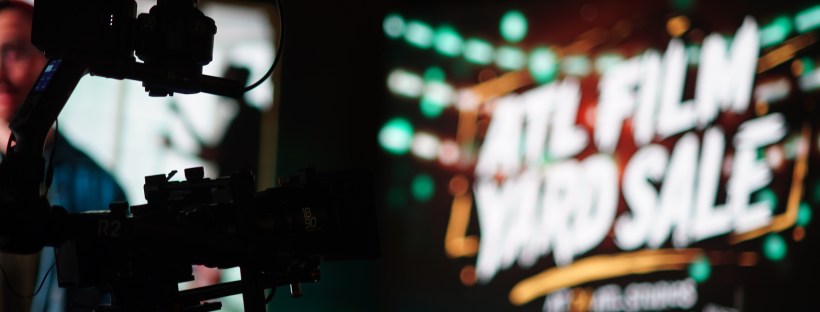
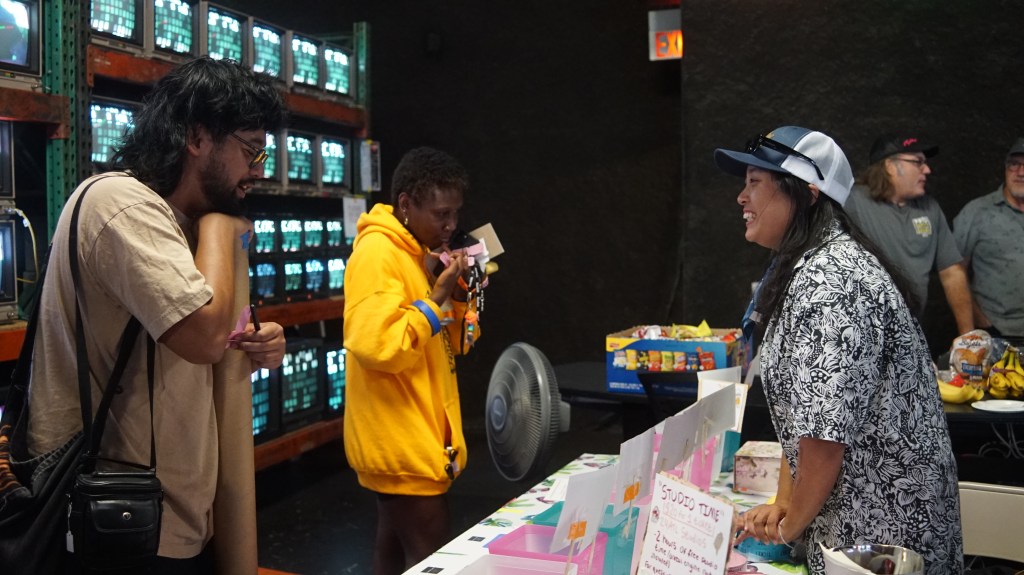
Last Saturday was the Atlanta Film Community Yard Sale, and I’d like to gush about it a bit.

In a group chat, fellow camera department lady Erin Zellers made a slightly joking comment about us all getting together to have a yard sale. I did a similar event with Film Impact Georgia last year which was popular, so I heartily agreed and wanted to take part. Together, Erin, Tina Somphone and I started planning the event we had no idea would grow from a couple of folding tables on someone’s lawn to the event of the year.

The Venue

We started thinking along the lines of a traditional yard sale. Getting a group of film friends to sell their gear in one place. A lot of people seemed interested, and we realized we’d outgrow a front yard really fast. A studio rental was the ideal way to promote film in a place that shoots film while avoiding potential weather delays.

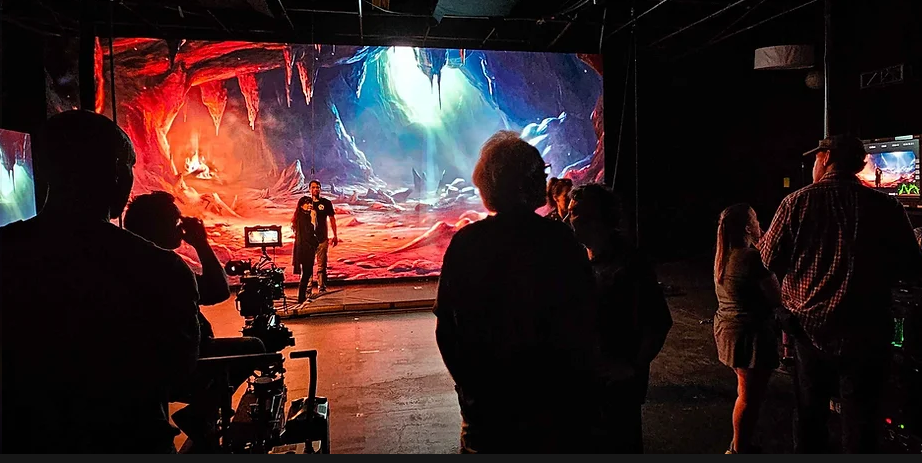
24ATL Studios, an LED Volumetric Wall Studio in Doraville, GA, took us up on our offer. Our challenge was coming up with the money for the rental. That’s where sponsorships came into play.

This image has an empty alt attribute; its file name is 24-studios-space-pic.png

Here’s a still from a short film I worked on at the studio.

Sponsors

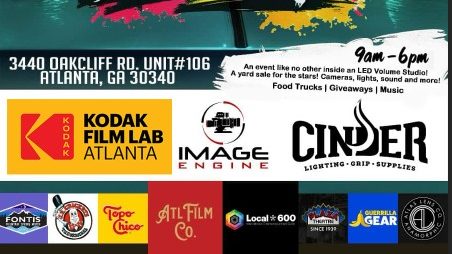
Our sponsors ran the gamut from traditional film to grip gear to beverage companies.

  • Cinder Lighting and Grip
  • Kodak Film Lab Atlanta
  • Image Engine/Elemental
  • Guerilla Gear
  • Hammerhead Wheels
  • Atlanta Film Co.
  • Local 600
  • Plaza Theatre
  • J.R. Crickets (food truck)
  • Topo Chico
  • Fontis Water

Our sponsors provided us not just with money to rent the studio and provide for our attendees, but also gifted items as prizes and even held free giveaways. Several of them held demos at their booths if they attended, like Hammerhead Wheels giving people the opportunity to test out the wheels or Kodak with their film loading demonstrations. Image Engine and Elemental owner Marque showed the set of wheels that controlled the rig on his impressive camera car. Cinder gave away tons of free expendables to grateful attendees.

Vendors

In addition to our sponsors, we needed vendors to sell their goods! The goal was to have an event specifically catering to the film industry. Only film, photography or related gear would be allowed.

Our vendors were a mix of companies and individuals. We got a good selection of everything from digital cameras, lighting gear, sound equipment, Steadicam accessories, photo equipment and even a wardrobe seller. Next year we’d like to expand that and get some more variety in departments represented.

The Why of it All

The Atlanta Film Community Yard Sale put an emphasis on community.

This event provided a safe place for people to buy and sell their gear while putting them in touch with the companies they’d interact with in Atlanta’s Film Industry. It was also an excellent networking opportunity. So many friends and colleagues were present, but so many new faces were added too. Folks went to tables and learned about different lenses or compared favorite video monitors or went over the finer points of certain lighting equipment, getting to know their fellow filmmaking professionals and learning some things in the process.

What I was happy to see what not just the sponsor’s support, but all the film industry folks who came just to attend the event and talked about how much they enjoyed it and wanted another.

We had to contact a lot of people to get the word out about this event and also to garner the support we needed. All those supply runs and sponsorship pitches and flyer distributions illuminated what should have been obvious in the beginning – Film is a community, and we were here to help support it.

Much like an event being organized, the film industry thrives on those connections and friendships built along the way.

So long for now from the 3 Gworls.

From left, Tina Somphone, Erin Zellers, Bridget LaMonica.

Selecting the Best Festival for Your Film

I saw a post online by someone asking about film festivals. They asked if Tribeca, Sundance, and SXSW were the “only” ones. There were a lot of comments at a varying degree of helpfulness.

Let me overwhelm you real quick — There are literally thousands of film festivals. So how do you choose?

What’s your budget?

Not of your film’s production, but to submit to festivals. Submitting to film festivals can cost anywhere from $15-75 or more depending on late fees. Apply early to get the best deal, but that means starting this research early too. Maybe even while you’re in production on the film. Or pre-production.

Submitting to film festivals costs money. You’re going to want to be targeted.

Know your film

Do you have a short or a feature? Was it a student film? What genre is it? All these factors are going to determine what film festivals you should be considering.

Do you have a cyberpunk scifi fantasy? Might not be Tribeca material.

Do you have a sappy romance? Not the right vibe for Sick Chick Flicks.

Research the Festival

Alright, so you’ve made a shortlist of festivals that will accept the length of film and the genre. Now you’ve got to narrow it down more.

First, is the film festival legit? Unfortunately, there’s fests out there that are not honest or forthcoming about what they provide. Some are what’s called “awards mills” that just give an award to anyone who submits. This award, and this festival, is therefore useless in proving your worth.

Other questions are: Do they screen all selected films? Is it screened in a real theater or just some random location? Does the film festival have a proven track record or is it brand new? When in doubt, Google the film festival and see if any complaints come up.

What are the Perks of Submitting to the Festival?

Do they offer great awards like representation, film budget funding, or meetings with high profile producers in the film industry? Are there professional judges? These are certainly bonuses if you submit a film and its received well, because it could possibly lead to more work for you in the future or some good meetings with the right people.

Target the Right Locations

There are film festivals everywhere, but you should have a few nearby that you can actually attend.

Attending film festivals is a form of networking, and it looks better if you’re there in person to meet with people and talk to other filmmakers about their films.

Take Advantage of Panels and Special Attendees

Piggybacking on my last comment, film festival attendance is a great opportunity to network, learn and grow as a filmmaker. Make sure to note whose work you like, who you should reach out to later and talk shop with.

If the film festival has informational panels, even better! Go and learn. When appropriate, talk to panelists and ask smart questions, but don’t take all their time. They’ll appreciate the enthusiasm and the consideration to their time and knowledge.

Closing Thoughts

Getting your film into festivals should not be the final decision you make — it should be a well informed decision you develop over the course of pre- to post-production of your film. Choosing the right ones gets you that much further ahead.

This has been on my mind because I’ve been in talks with someone about creating a local genre-specific film festival in Atlanta, and I want to make sure it’s the best it can be on its first year.

Need more info and tips for submitting to film festivals? Check out the sources below!

Sources:

17 Tips to Find the Right Festival for Your Indie Film

How to Submit to Film Festivals: Tips from an Industry Screener – Adorama

Film Festivals: Where to Submit as a New Filmmaker – Backstage